 notemidi
 01
Bring a recording
Choose one clear voice or instrument.
A RECORDING. A STARTING POINT.
Find the notes. Shape the score. Take it with you.
Free to use. No signup.
Your audio stays on your device during conversion.
A melody, a recording, a new idea.
or drag and dropMP3, WAV, FLAC, M4A, AAC, OGG, AIFF, MP4
Up to 10 minutes · 100 MB · AIFF PCM onlyA balanced starting point. Review the result by ear.
Audio never leaves your device during conversion. No account needed.
Drag a .mid file into your DAW to arrange a part, change its instrument sound or layer it with another track. MIDI stores timed note events for playback; it does not preserve sheet music layout or contain the original recording. Choose it when your next step is making an arrangement rather than printing a score.
Need a .mid file for your DAW? Use the MIDI converter
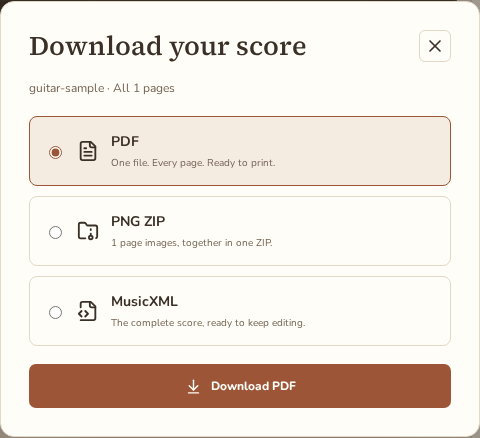
Choose MusicXML to continue editing notation in MuseScore, Dorico or Sibelius, then export again from that editor. Unlike MIDI’s playback events, MusicXML stores structured notation, including staves, voices and written rhythms. Download PDF for printing or handing a fixed score to a teacher or student. PNG page images come in a ZIP: unpack it to attach individual pages to a chat, an assignment or a social post.
Listen to this 15-second recording and compare the actual generated score. The notes below have not been manually corrected.
Standard detail · rendered at 120 BPM · 1/8 grid · 47 detected notes
Public-domain recording. Source and author · Sample details
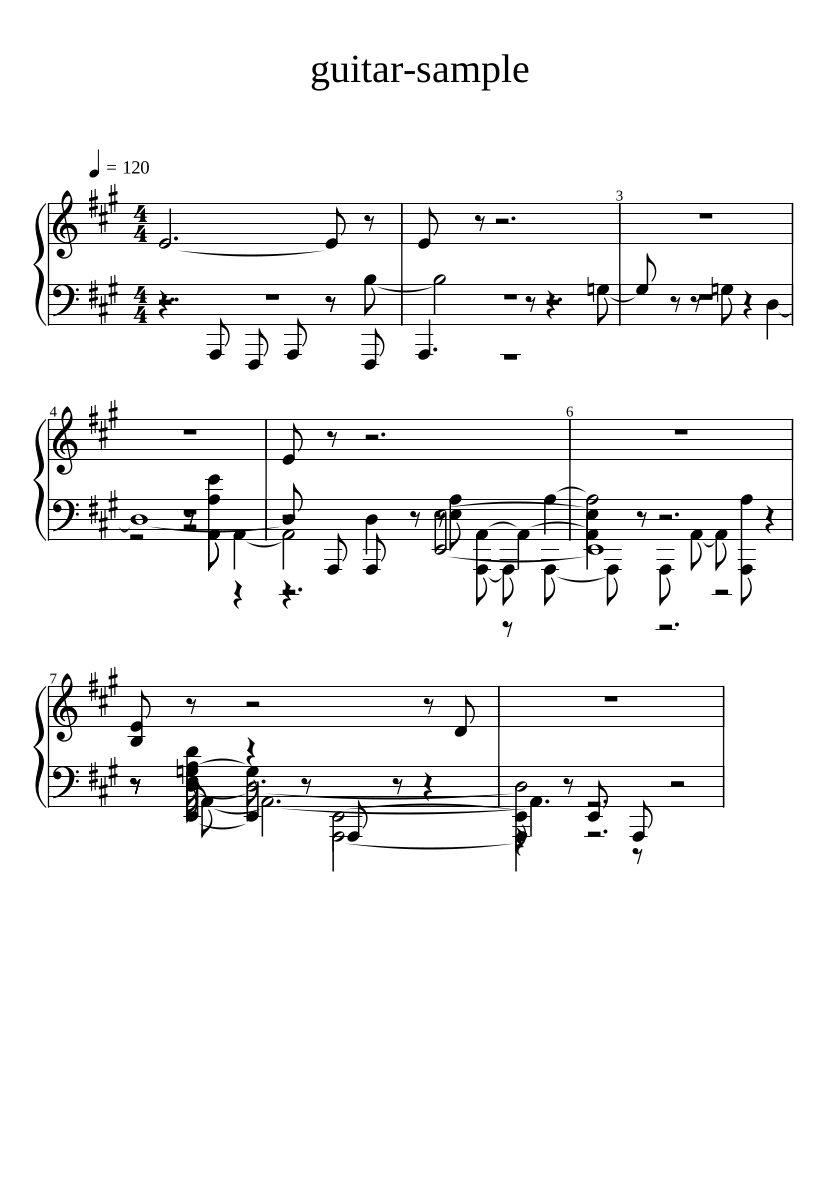
Actual output · 1 page · Review before use
01Choose one clear voice or instrument.
 02
Let the local converter make a first draft.
 03
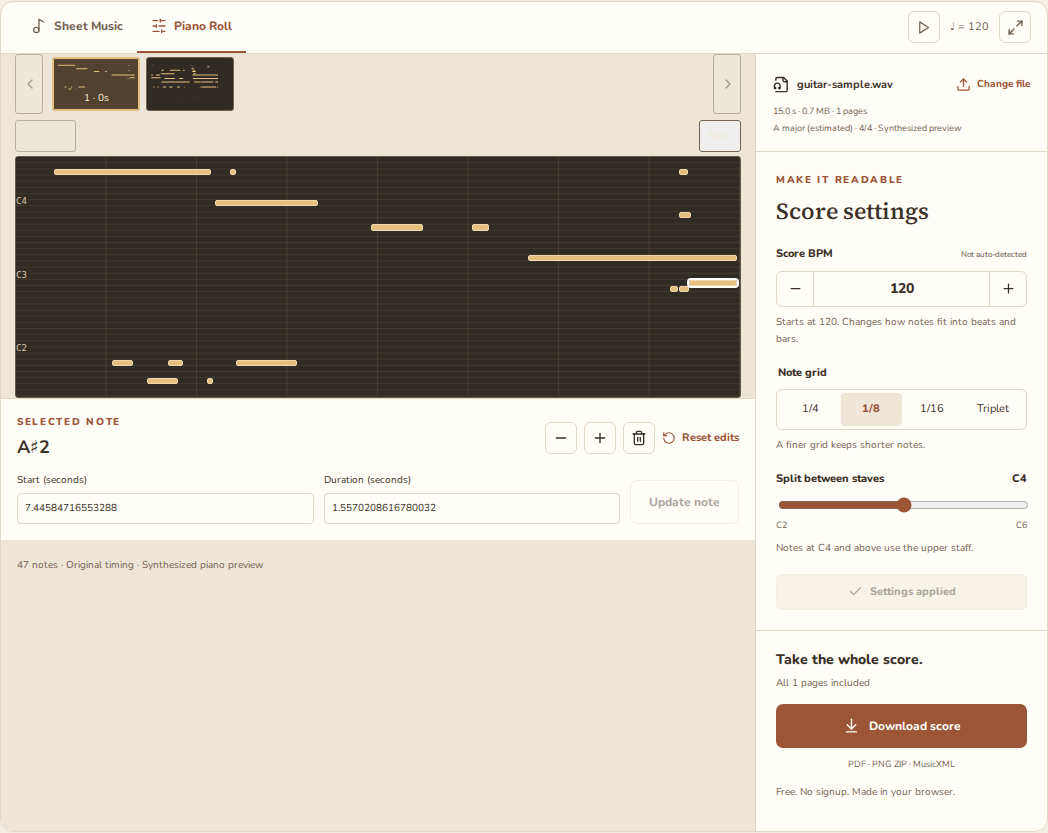
Edit notes and adjust the score’s rhythm.
 04
Download the complete score in your format.
Audio to sheet music conversion starts with sound rather than written notes. Here is what happens between choosing your file and seeing an editable draft.
Your browser reads the audio file and prepares its samples for analysis. It needs a supported codec and enough memory for the recording; choosing a file does not send its audio to a server.
A model running locally estimates pitches, start times, note lengths and strengths. These are candidates to review: one ringing string, a voice or an overlapping part can produce extra notes or leave gaps in the draft.
NoteMidi fits notes to your selected grid, estimates a key signature and adds rests in 4/4. Score BPM starts at 120 as a user setting, not a detected tempo. Adjust it and review the rhythm before exporting.
The browser renders the notation across A4 pages and creates your PDF, PNG ZIP or MusicXML locally. The output is an editable draft, not publication-ready engraving. Conversion and export do not send your audio off the device.
Rhythm is fitted to a grid in 4/4. Reverb can add false notes, dense chords may need cleanup, and drums don’t translate reliably into pitched notation. Review the draft before you print or share it.
Can drums and percussion become a pitched score? Their noisy attacks often lack a stable pitch, so the model may ignore them or mistake them for notes; a drum track is not a reliable source for this piano-style notation.
Why do extra notes appear in a reverberant recording? Long sound tails and room reflections can look like continuing or repeated notes, so a drier recording usually needs less cleanup than one captured in a large, echoing room.
Does the performance speed up or slow down? One BPM and grid may not fit expressive timing throughout the piece, so inspect the quantized rhythm and adjust the grid or individual notes instead of treating the first layout as final.
Can several instruments become separate parts? This tool has no stem separation, and overlapping pitches can be combined or missed in dense music, so review the Piano Roll and delete unwanted notes before using the resulting score.
Yes. PDF, PNG ZIP and MusicXML downloads are free and need no account. Use MP3, WAV, FLAC, M4A, MP4, AAC, OGG or uncompressed AIFF PCM, up to 10 minutes and 100 MB (100,000,000 bytes). Codec support depends on your browser; compressed AIFC is not supported. There is no fixed page, conversion or download-count limit, but browser memory and score complexity still matter. Longer scores are automatically split across A4 pages. PDF and PNG require a rendered preview; MusicXML can still be downloaded if notation succeeds but the preview fails.
No. Audio processing and score export happen in your browser. If you sign in and choose Save to history, your edited notes, work title and applied score settings are saved privately to your account. Your audio and exported files are not saved. If you explicitly choose to share your work, a public link is generated so others can view and download your transcription; you can revoke this link at any time to immediately disable access.
Audio conversion first estimates notes from a recording. MIDI already contains note events. Both still need rhythm and notation choices to become a readable score. This tool accepts audio recordings, not MIDI files.
Use Piano Roll to correct pitch, start time and note length, then adjust the score settings. Export MusicXML to continue editing notation in an app such as MuseScore.
It produces an editable draft, not an exact transcription. Clear solo recordings are easier than busy mixes. Check pitch, rhythm and note lengths before using the score.